


01
Precision without limits.
Upgraded joysticks help reduce the dead zone for smoother movement, controlled adjustments and more confident aiming.
Note: Back in stock fast. Limited units available.
Delivery window: 7–12 days after dispatch.
Meet the Gamrombo LED Wireless Controller for PS5 — a budget-friendly pad built for PS5, PS5 Pro, PS5 Slim, and Windows PC play. It supports dual vibration, 6-axis motion control, a 3.5mm audio jack, an onboard speaker, and macro/turbo functions for players who want more than a basic OEM layout. On first use, connect it by USB-C, press Home to pair, and you’re set.
After setup, the Home button can wake your PS5, and Bluetooth switching keeps it handy for both console and PC sessions.
It’s a practical upgrade for anyone tired of stick drift, looking for extra inputs, or wanting a second controller without paying DualSense money.
1. What systems does this controller work with?
It works with PS5, PS5 Pro, PS5 Slim, and Windows PCs.
2. Does it work on PS4?
No. This controller is not compatible with PS4.
3. How do I pair it the first time?
Use the included USB-C data cable or the original data cable, connect it to the PS5, then press the Home button to activate pairing.
4. Can I wake my PS5 with it?
Yes. After the first connection, pressing Home can wake the console.
5. Does it have macro and turbo functions?
Yes. It includes macro support and turbo mode for faster input and repetitive actions.
6. Is there an audio jack?
Yes. It includes a 3.5mm audio jack for wired headsets.
7. Does it have vibration and motion control?
Yes. Dual vibration and 6-axis motion control are both included.
8. Is it good for PC gaming too?
Yes. It can be used on Windows PCs for a second pad or desktop gaming setup.
9. Does it come with a built-in mic mute button?
No built-in microphone or mute button is listed, so plan on using your headset or PC audio setup.
10. Does it need calibration out of the box?
Most players can start after pairing, but any controller setup can benefit from a quick check of sticks, deadzone, and button mapping.
11. Is it a charging dock controller?
It uses USB-C for connection and charging, so it’s best matched with a USB-C cable.
12. What makes it worth it?
If you want a lower-cost PS5/PC controller with extra inputs, turbo, and drift-resistant Hall Effect style sticks, this is the kind of daily driver people look for.
We aim to process orders in 1-2 days. Delivery window is typically 7-12 days after dispatch.


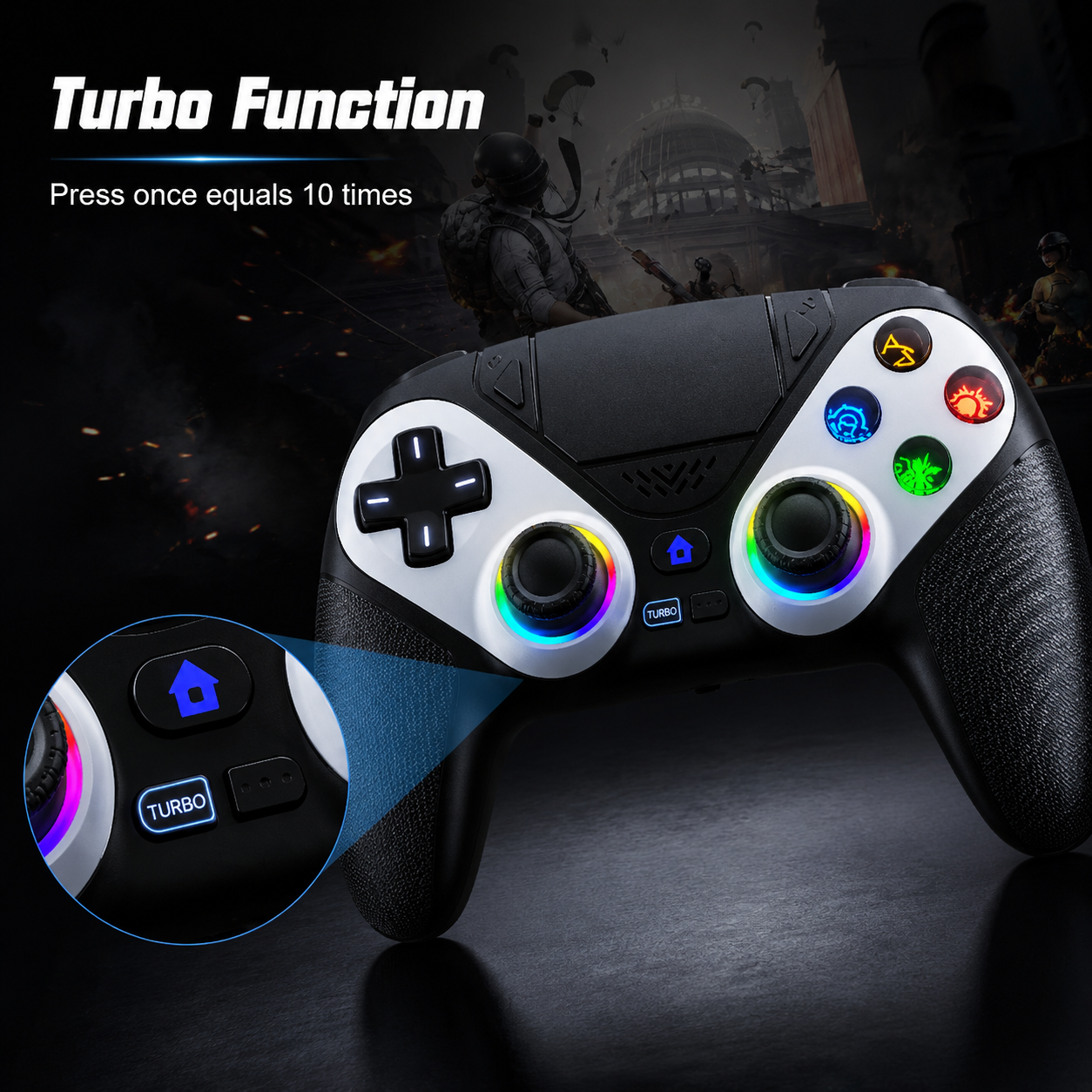
Precision controls, programmable commands, customizable lighting and immersive feedback—engineered for players who expect more from every match.
 6-Axis Motion
Turbo + Macro
Dual Vibration
Custom Lighting
6-Axis Motion
Turbo + Macro
Dual Vibration
Custom Lighting
From precise aiming to programmable inputs, every system is designed to make your controller feel faster, smoother and more personal.
Upgraded joysticks help reduce the dead zone for smoother movement, controlled adjustments and more confident aiming.

Switch between lighting colors and effects with one button. Color memory restores your preferred setting when you return.
Advanced functions are built directly into the controller, giving you more ways to play without additional equipment.
Set rapid input at up to 10 activations per second for compatible gameplay actions.
Program command combinations across up to 16 supported controller inputs.
Refined joystick response helps create smoother, more controlled movement.

Motion sensing translates physical movement into compatible in-game actions.
Feel impacts, movement and action through immersive vibration feedback.
Built-in speaker plus a 3.5mm TRRS connection for compatible external headsets.
A complete control system built for modern console and PC gaming, combining wireless freedom with customizable performance features.
First connection: Connect the controller to the PS5 console using the included USB-C data cable or an original compatible data cable, then press the HOME button. After initial activation, press HOME to wake and reconnect to the console. Not compatible with PS4.
Real gameplay, setups and product clips from every angle.
See how players are upgrading their setup with responsive controls, customizable lighting and performance features built for every mission.

The joysticks feel smooth and responsive, and the controller connected without any issues after the first setup. The lighting looks even better in person.

I mainly bought it for the design, but the turbo controls ended up being my favorite feature. It feels comfortable even during longer sessions.

The different light settings make it look amazing beside my monitor and keyboard. The vibration is strong and the buttons feel really responsive.

I connected it with the cable the first time and it paired right away. After that, the HOME button wakes the console and reconnects quickly.

The grip feels comfortable and I like having the macro options. It took me a few minutes to learn the settings, but once configured it worked exactly how I wanted.

The white design looks clean and the lighting makes it stand out. He has been using it almost every day since opening it.
Everything you need to know before connecting, customizing and taking control with your new wireless controller.
Contact our support team for help with pairing, setup or controller functions.